See below for FAQ on Govease


Clerk and Master's Office for Washington County, Tennessee
Serving the people of Washington County, Tennessee
Do you have questions about how to use the online system? Please refer to Tennessee Tax Auction Training – GovEase Help (helpscoutdocs.com)
No, setting up a GovEase account/profile is NOT the same as registering for a specific auction. These are two separate steps. After creating a GovEase account, you must register for the specific auction you want to participate in. You can do this by going to My Account, clicking on Register/Add auctions, finding the county you want and then completing the county-specific registration documents that they require. You can register for multiple counties’ auctions, but you will have to complete the separate registrations for each.
The approval process and required documents will depend on the county and state. After creating a GovEase account, you must register for the specific county in which you wish to bid. You can typically begin registration three to four weeks before the tax sale date. However, this may vary. To register, you must use your GovEase account to electronically sign and/or upload any required documents.
When logging in to your account, you can go to “MY ACCOUNT” and click on “MY REGISTRATIONS”. You will see the approval status for each county that you signed up for and the approved dollar amount.
Yes, you will have to complete new registrations for each county each year. However, you will NOT have to create a new GovEase account. You can still log in with your email and password from previous years. Your profile information will be the same, but you will still need to electronically sign or upload any registration documents for each county. You can do this by going to “MY ACCOUNT” on the left-hand toolbar and selecting “REGISTER/ADD AUCTIONS”. If you need to make changes to your profile click “MY ACCOUNT” then click “PROFILE.” On your profile, you can make any necessary changes and then hit “SAVE” at the bottom of the page.
No. You need to register each company with a unique email.
Under “MY ACCOUNT”, select “REGISTER/ADD AUCTIONS”. Click Register for each county you want to bid in and electronically sign and/or upload all documents.
We can’t remove or delete counties that you have registered for from your account. However, if you are not approved for that county, then your account is inactive and cannot do any bidding. If you are approved by the county and you no longer want to participate, you can choose not to place any bids. There will not be a penalty for registering for an auction and then choosing not to participate. However, some auctions require a registration fee which is generally non-refundable. We recommend reviewing the property list and making sure that you are planning to participate BEFORE you pay any registration fees.
There is no fee to create a GovEase account. However, some counties may require a non-refundable registration fee, which will be payable from that county’s registration page. Other than that, there are no additional fees for registering or bidding on our platform.
You will only be able to win and bid up to your Requested Approval Amount. In this scenario, if you put in $10,000 in the requested approval amount box you will be able to bid and win up to $10,000. You will not be able to bid and win more than this amount. Please make sure to check your approval amount and approval status by going to My Registrations under My Account before an auction begins.
Yes. More than one person can be logged in to the same profile and can bid at the same time.
Property lists are generally posted on our website 2 to 4 weeks prior to the auction date. Once available, they can be viewed by going to the Auctions tab at the top of the left-hand navigation menu.
Yes. Once the property list is loaded and pre-bidding has been enabled, you can bid on all properties you wish to bid on. You can place either a maximum overbid or minimum interest rate bid, depending on the state and county. Pre-bidding is typically only available to approved bidders 1-2 days before the tax sale date, but that may vary. You can pre-bid by entering individual bids on each parcel or by using the Upload Bids tab to do mass bidding. The mass bidding/upload bids feature will not be available during the live auction hours.
Pre-bidding / max overbid entry will not be available until the county sends us their final sale file and it is loaded into our system, which is typically 1 – 2 days before the live auction is scheduled to start. An email will be sent when pre-bidding opens. A notification will also be posted on the updates tab, found at the top right of the page when you log in to your account. The updates tab is viewable by clicking the bell icon.
No. You will only be able to see your own pre-bids.
Please visit https://www.govease.com/auctions for upcoming auctions and dates
Yes. You can access the auction website on a mobile device, tablet, or any computer that has access to the internet.
Yes. Face value is the actual taxes owed on the parcel plus any fees, penalties, etc.
Yes. You can increase, decrease or clear your max overbid for a parcel during the live auction. However, if you are the current winning bidder, you cannot clear/remove your bid and are responsible for the total purchase shown until you are outbid.
No. The minimum bid is the face value amount.
Yes. The live auction screen displays the current winning overbid or current winning interest rate (depending on the auction) for the parcel that is being auctioned.
It will be listed as the “Face Value”. The Face Value also includes any fees/penalties.
This will vary from county to county. Typically, properties will be auctioned in the order that they are listed on the Auctions page.
Yes. One parcel is auctioned off at a time for each county. If for some reason there is a change, all bidders will be notified by email.
For most auctions, a tie bid will be broken by the first person to place their bid. This includes ties on max overbids entered prior to the beginning of the auction (pre-bids). For some auctions, such as 0% tied bids in Alabama or ties at any percentage in Iowa, the tie is broken by a random number generator.
If you were approved to participate in an auction, results will be available for viewing (but not for download) for a short time after the conclusion of the sale. You can view these results by using the menu to navigate to “reports” and opening the “completed auctions” report. Make sure to filter these results for the correct county. Even if you weren’t approved by the county, once the sale results are finalized, you can purchase them from: www.sellfy.com/govease.
Yes. You can navigate to “Upload Bids” and follow the instructions. This is an entirely optional feature, but it comes in handy if you are pre-bidding on hundreds or even thousands of parcels at a time. The “upload bids” feature is not available if any auction is currently live.
On the “AUCTIONS” page, use the search bar to search for a particular parcel number, unique # or owner name. Make sure the drop-down menu at the top of the screen is set to the county in which you want to search.
Yes. You can pre-bid above your approved amount. The approved dollar limit only applies towards won auctions/purchases. After you reach your limit on purchases, your pre-bids will not be entered during the live auction unless you contact the county or GovEase to have your limit raised. You will contact the county if they are handling the approvals and payments, and you will contact GovEase if we are handling those processes.
No. The amount you enter as your max overbid simply tells the system where to cut off and stop bidding for you. The system will bid what the county has set as their minimum bid increment (typically $1) over other bids until it reaches your set max overbid amount. As an example, if you set a max overbid of $50, and somebody else bids $37, the system will only bid you up to $38. Different counties may have different bid increments, and the bid increments will also vary depending on the type of bidding format an auction uses. For Alabama auctions, our system will bid 1% below the other bidder’s interest bid down to the minimum interest bid you set.
You can bid on a parcel at face value by entering $0 into the Place bid. For Alabama auctions, you are not overbidding at all. Instead, you are bidding the minimum interest rate you are willing to accept for that parcel.
That depends on the county/state. Contact GovEase customer support for more information.
No. Once you have your pre-bids placed, our system will bid for you during the live auction up to the max overbid or minimum interest rate (Alabama) you have set.
No. Only the winner of the auction owes the total purchase amount.
No. You are responsible for using your account to place bids online.
No. But you can view upcoming parcels on the live bidding page. Also, depending on the order of the sale for that particular county, you may be able to follow along by alphabetical order or parcel number order. It will depend on the county for their order of sale.
You can register for an on-demand webinar by going to https://www.govease.com/help. Also, there is a knowledge base https://govease.helpscoutdocs.com/ that has training articles and videos you can watch at any time.
Visit our website and click on the Tax Sale Auctions tab at the top of the page. This page will provide a list of counties and the date they will be participating as of now. This will be updated periodically.
This depends on the county/state. Please visit https://www.govease.com/auctions for an auction schedule.
Yes. You can view the total parcels won and the amount spent at the top right on the Live Bidding page. You can also run reports anytime via the reports menu and click bidder purchase detail then filter by county and state and auction time period.
Under “REPORTS,” click on “Bidder Purchase Detail.” Filter by county and state and then make sure to select the correct auction reporting period. It will default to current auctions only, so you will need to click in the box and you will be able to see the state, year, and whether it was spring or fall. Select the reporting period that applies to you. You can also see reports that will give you a summary of your pre-bids (the bidder bid detail report) and the results of the entire auction (the completed auction report). You can also download these reports as a CSV Excel file or a PDF. Please note, that the results of the entire auction will only be available for a couple of days following the conclusion of the auction.
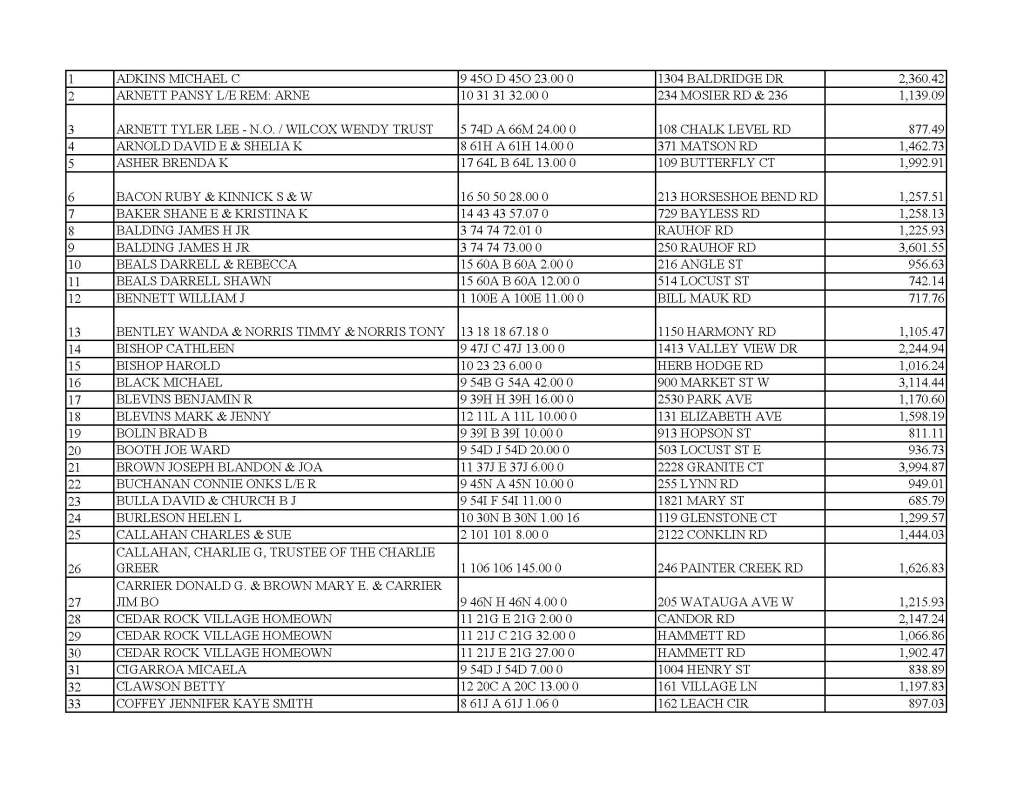
This list will be updated on Fridays through the end of February. It will be updated daily from March 1st through the 5th.
Printable Copy of list: https://acrobat.adobe.com/id/urn:aaid:sc:us:4d84cae0-92cf-44bb-b8b8-2d9ec60fcdc6


Join us Saturday for an auction of the property at 138 Berry Ridge Road. This is a 792 square foot, 2 bedroom, 1 bathroom, single family home. This home is located at 138 Berry Ridge Rd, Telford, TN 37690. The home will open for viewing at 9:00 a.m. prior to the sale at 10:00 a.m. Registration paperwork is attached. For photos, see previous post.

https://acrobat.adobe.com/link/review?uri=urn:aaid:scds:US:00e124be-6918-39df-af7b-87af17444423
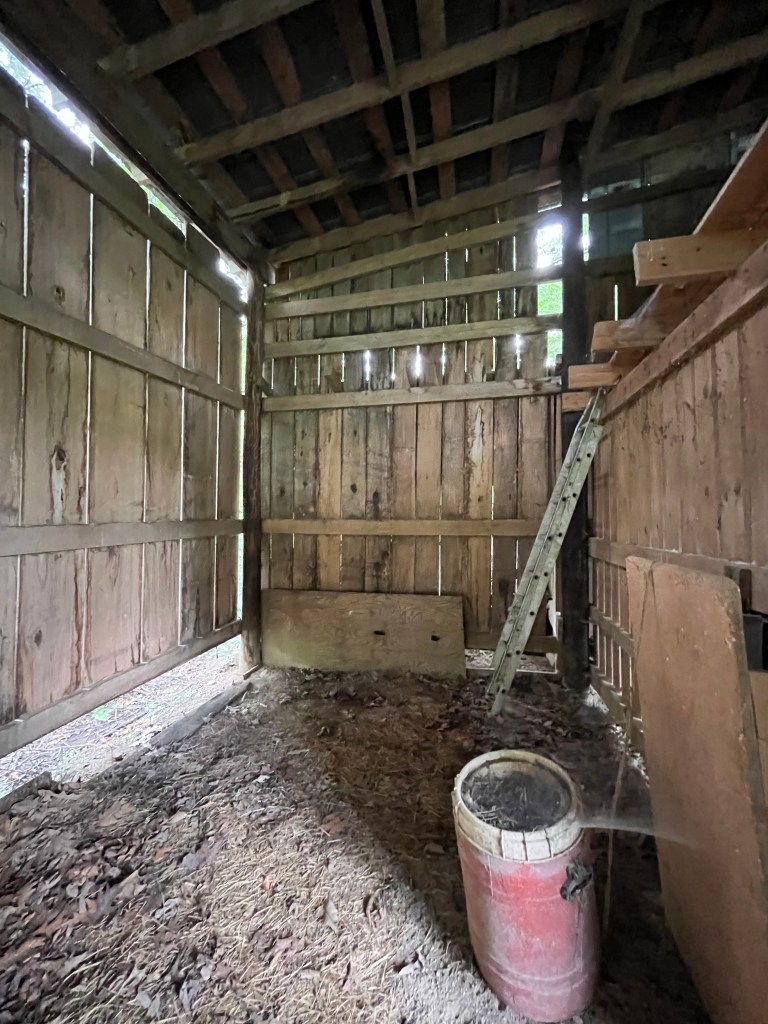
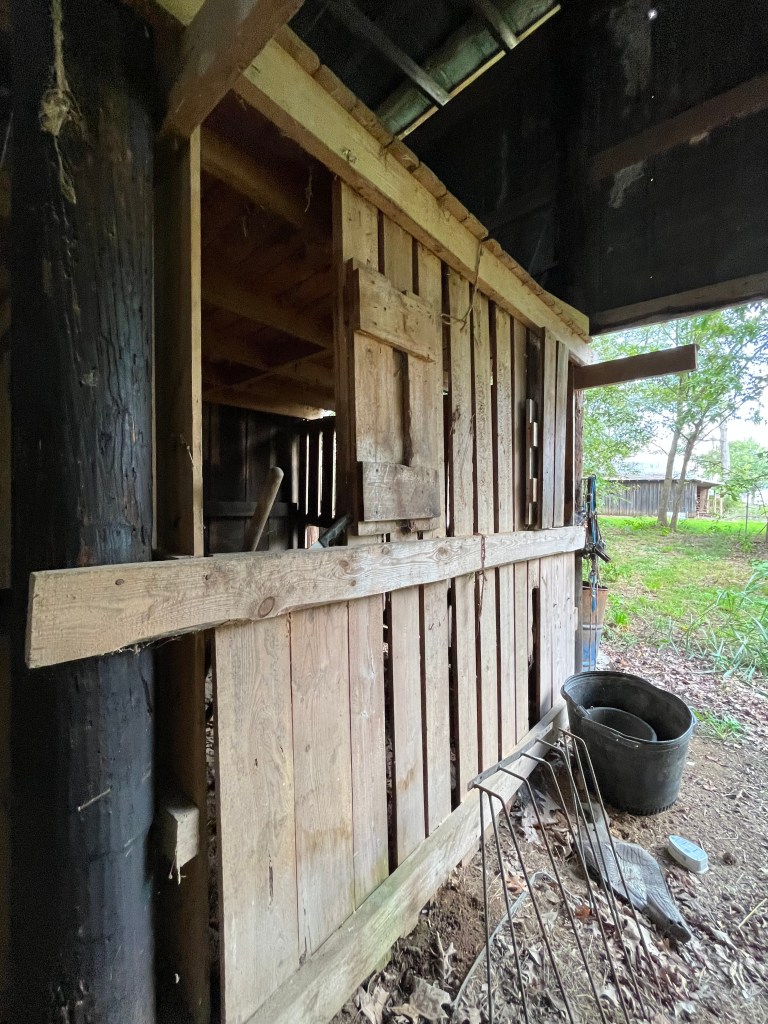
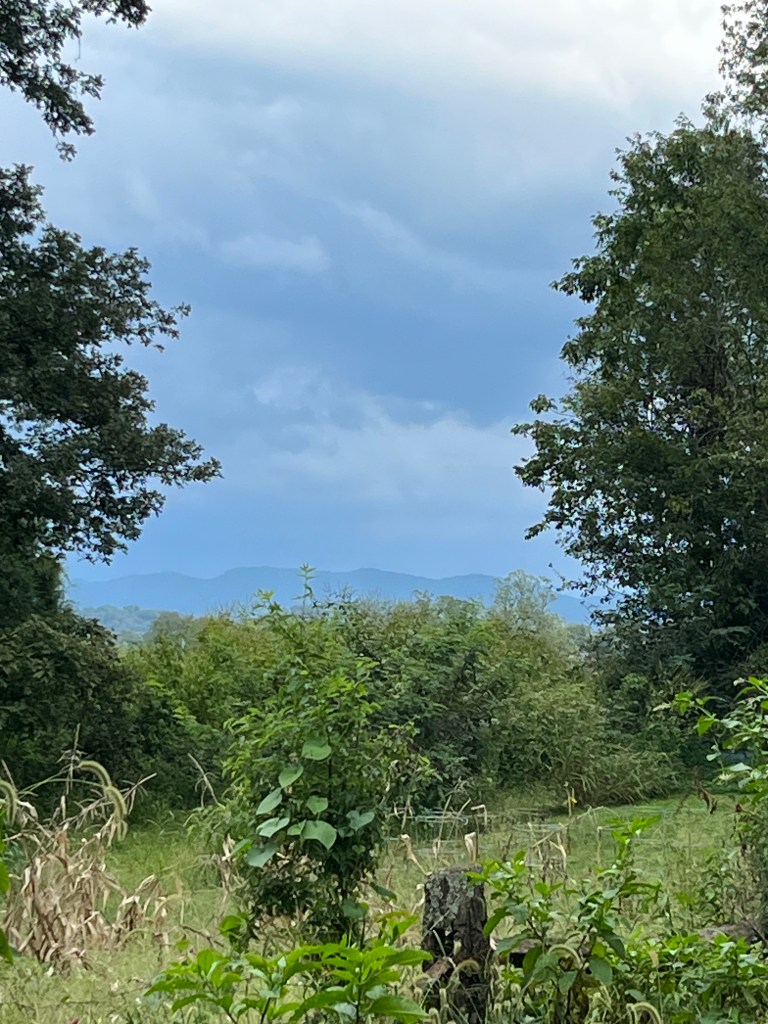
Two bedroom, one bath home for auction. Just under one acre of land with horse barn and outbuilding. There is also a small shop or utility area attached to the home.


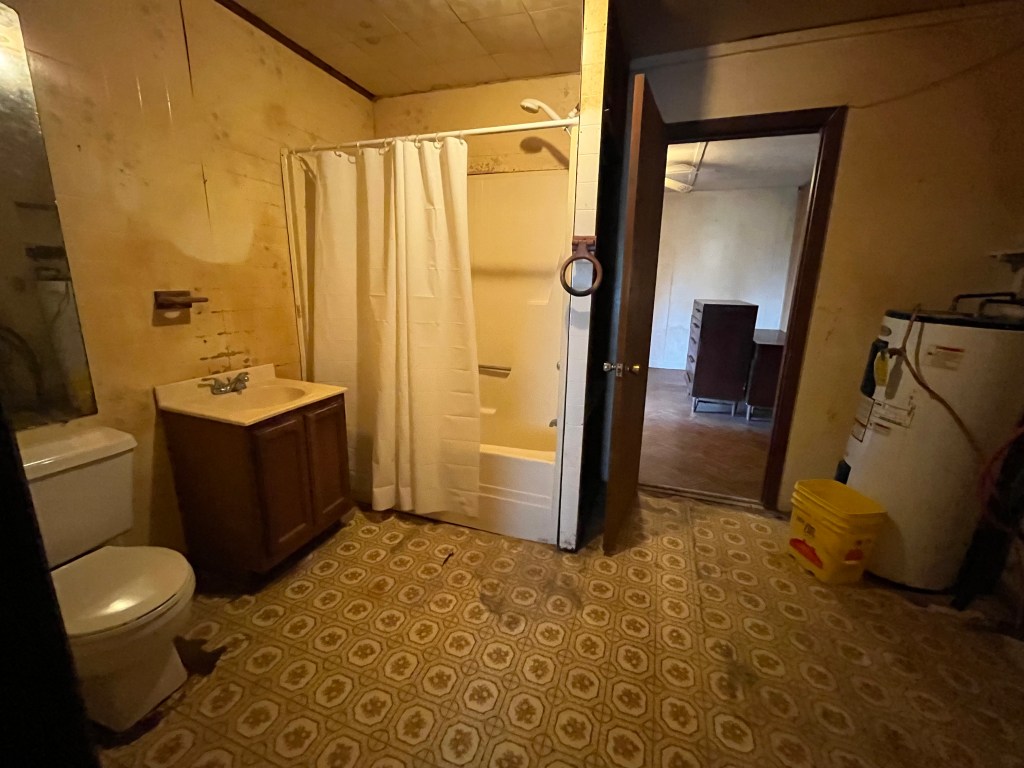

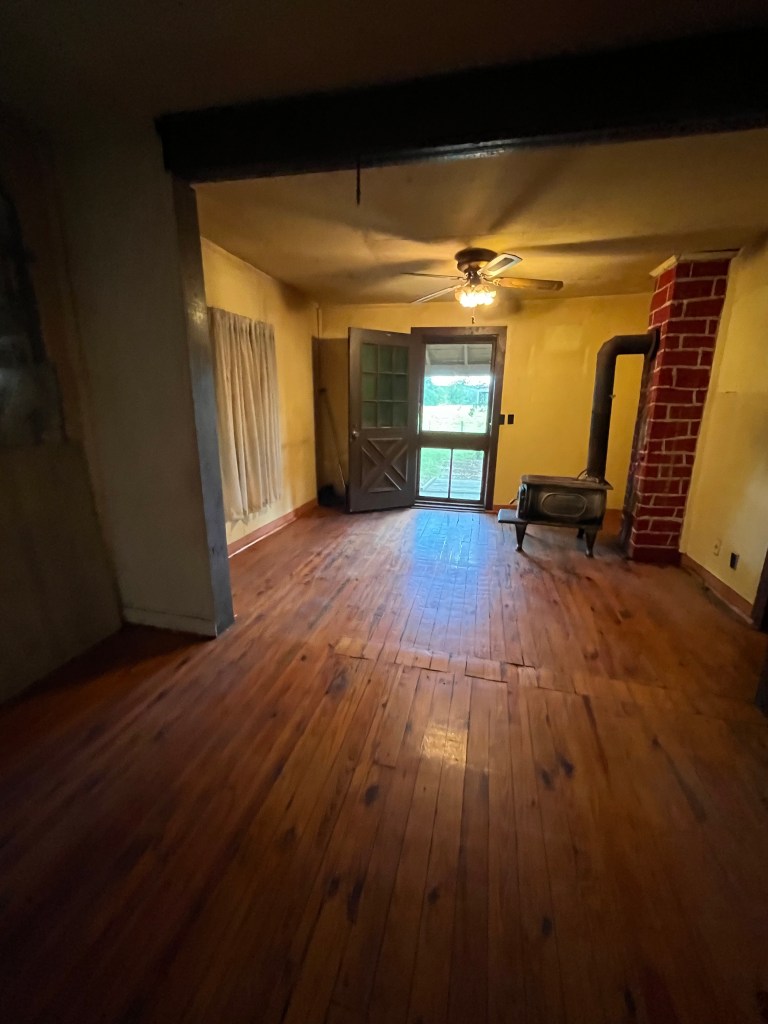
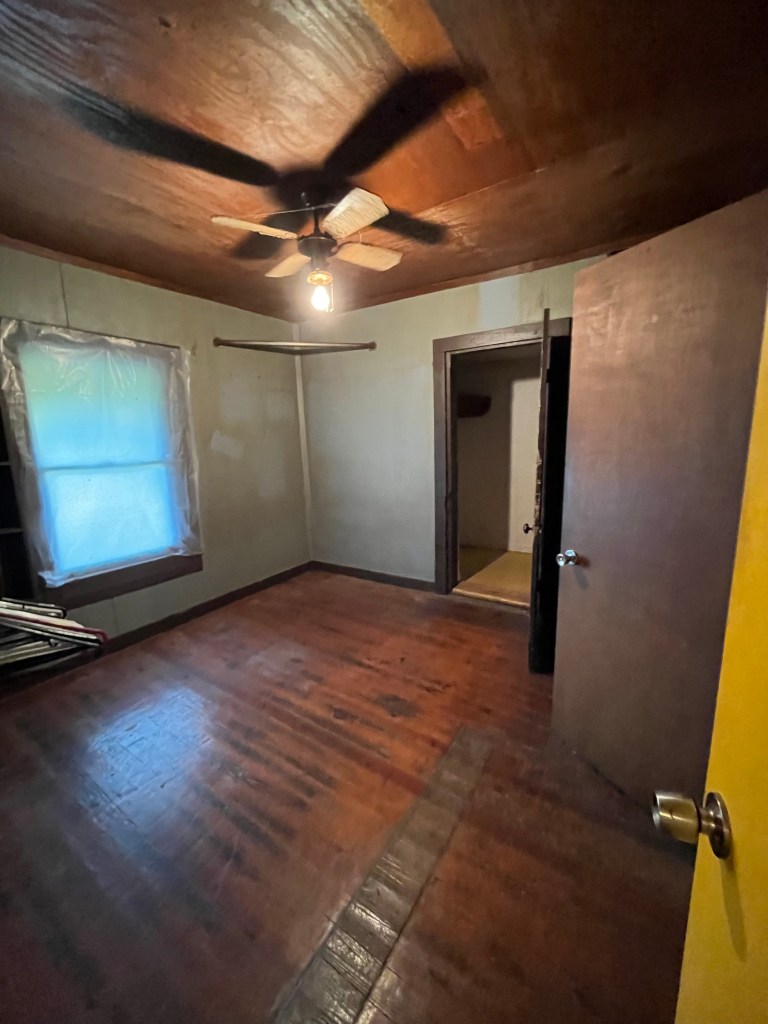





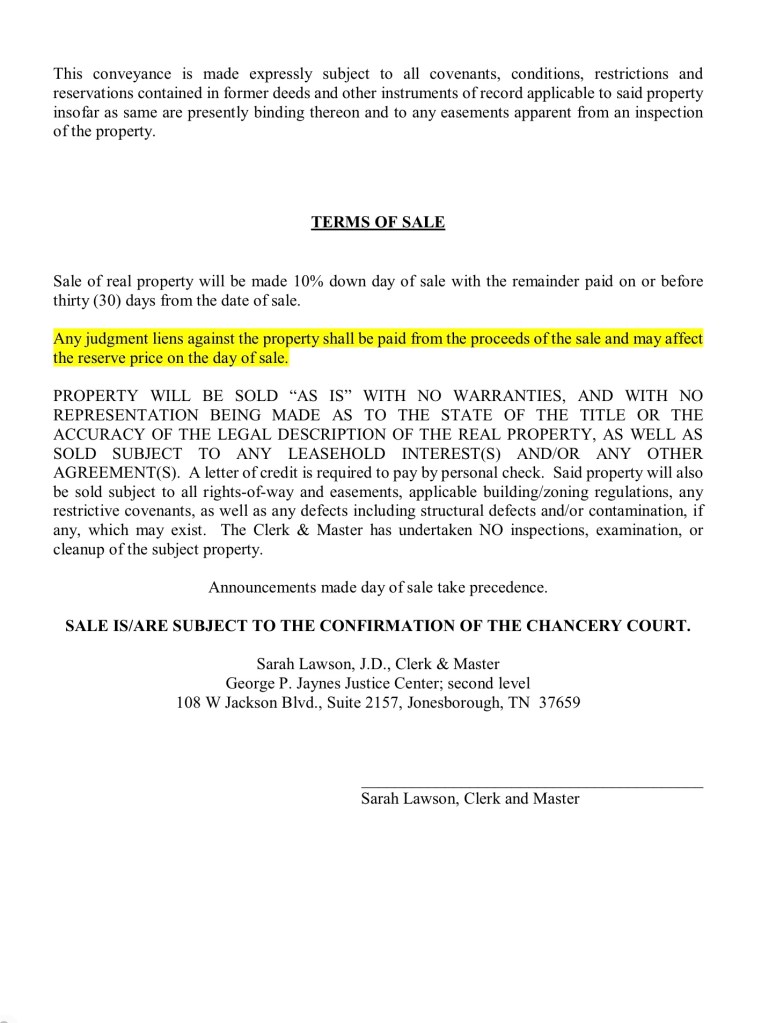
Updated Tax Sale List 3/6/2023
https://acrobat.adobe.com/link/track?uri=urn:aaid:scds:US:4c73ee6b-5090-35cf-8f81-ca4e53216b62
Registration Closes 3/7/2023 at 4:00 p.m.
See post below for registration
https://acrobat.adobe.com/link/track?uri=urn:aaid:scds:US:4b4b6d3b-c63d-3f2e-8140-db539d7075b6
Sign up at www.govease.com
https://acrobat.adobe.com/link/track?uri=urn:aaid:scds:US:f972d642-35c9-3804-b8ee-5513b9c42d5f
Don’t delay, sign up today!
https://acrobat.adobe.com/link/track?uri=urn:aaid:scds:US:411029b9-fc52-3535-82e1-99a4a96ce580
Register to bid as soon as possible via www.GOVEASE.com
You must be approved to bid! Sign up Now!
 Clerk and Master's Office for Washington County, Tennessee